NO SETUP
Zero preparation
Pick an effect and touch. Last-minute gigs, sudden improvisation — you’re ready to play right away.

VISUAL INSTRUMENT FOR iPad
No setup.
Just play along to the music
with your fingers.
FluxDeck is a VJ app that turns your iPad into a visual instrument. Tap and it bursts, trace and it grows, let go and it lingers. Shape the visuals freely as the music flows.

01—PLAY BY FEEL
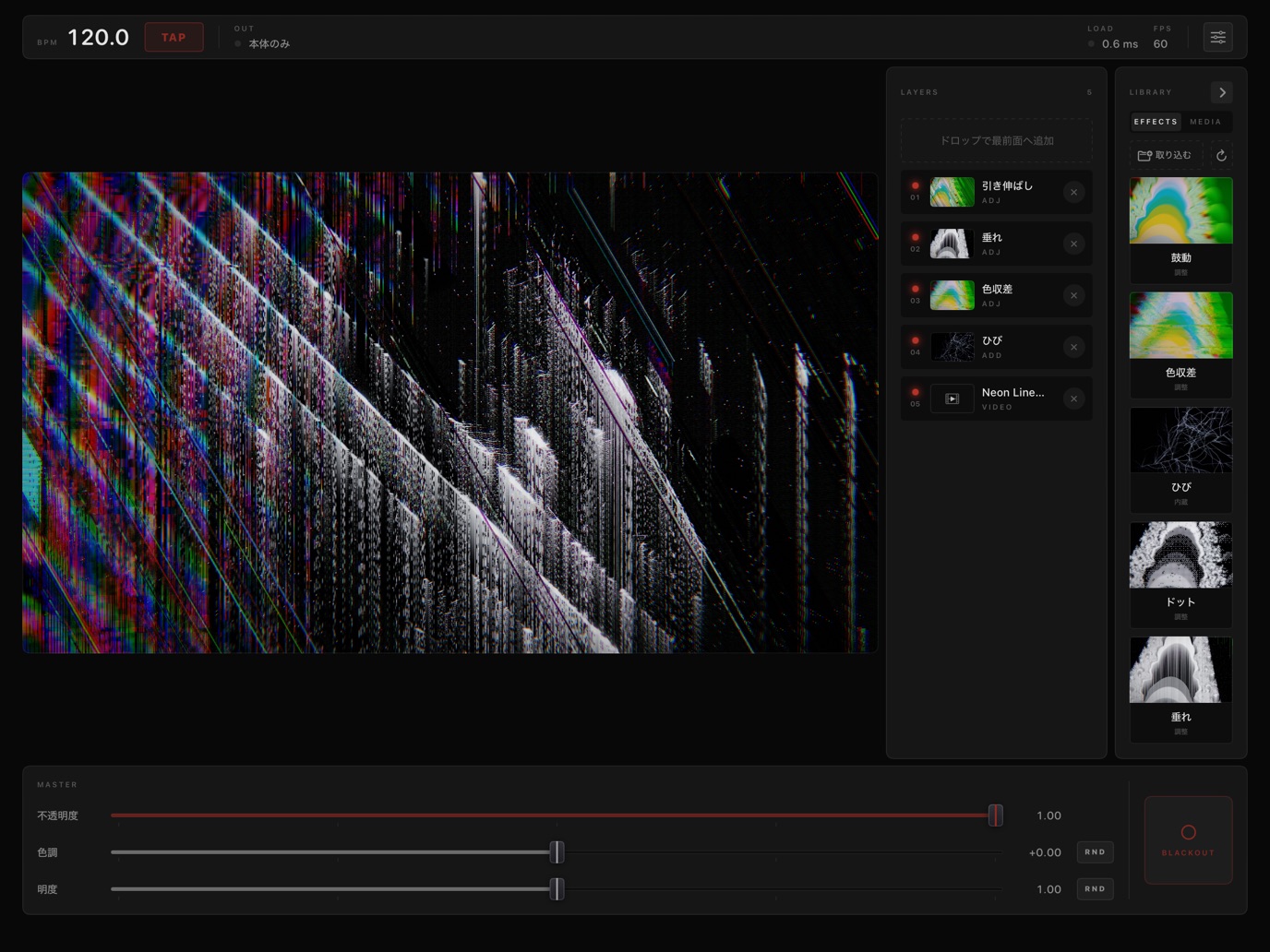
No importing footage, no building timelines, no making presets. Listen, feel the groove, and move your fingers. Just like playing an instrument, the visuals follow.
NO SETUP
Pick an effect and touch. Last-minute gigs, sudden improvisation — you’re ready to play right away.
WITH THE MUSIC
Tap along to the BPM, sweep freely into the chorus. Fast or slow, follow the song by feel.
OVERLAY READY
It doesn’t have to do everything on its own. Layer it over the VJ software you already use for a fresh take on your set.
02—EFFECTS
Drag from the Library into Layers. Every effect grows with the speed of your finger and reworks the footage and effects beneath it. Run several at once and light overlaps light.
Thin cracks of light run along your finger’s path.
Faster: longer, thicker, branching across the screen
Where you touch turns to white paper, splattered with black ink.
Faster: wider paper, farther splashes
Edges split into rainbow fringes.
Faster: bigger shifts, with bands of horizontal noise
The image is sorted and stretched in bands.
Faster flicks: more bands, breaking up longer
Turns the image into a brick mosaic and cuts it along your stroke.
Faster: the cut slides further and crumbles
Where you touch becomes a grid of glowing dots.
Faster: a wider circle, its edge breaking up in blocks
Bright parts of the image melt and drip down.
Faster: a wider area, longer drips
Repaints the area you touch in two or three vivid colors.
Faster: a wider area, colors flipping rapidly
A glowing rectangular window opens where you touch.
Faster: a bigger window, longer streaks of light
The image jumps on every beat, in time with the tempo.
Faster: harder jumps, in double time
03—PLAY
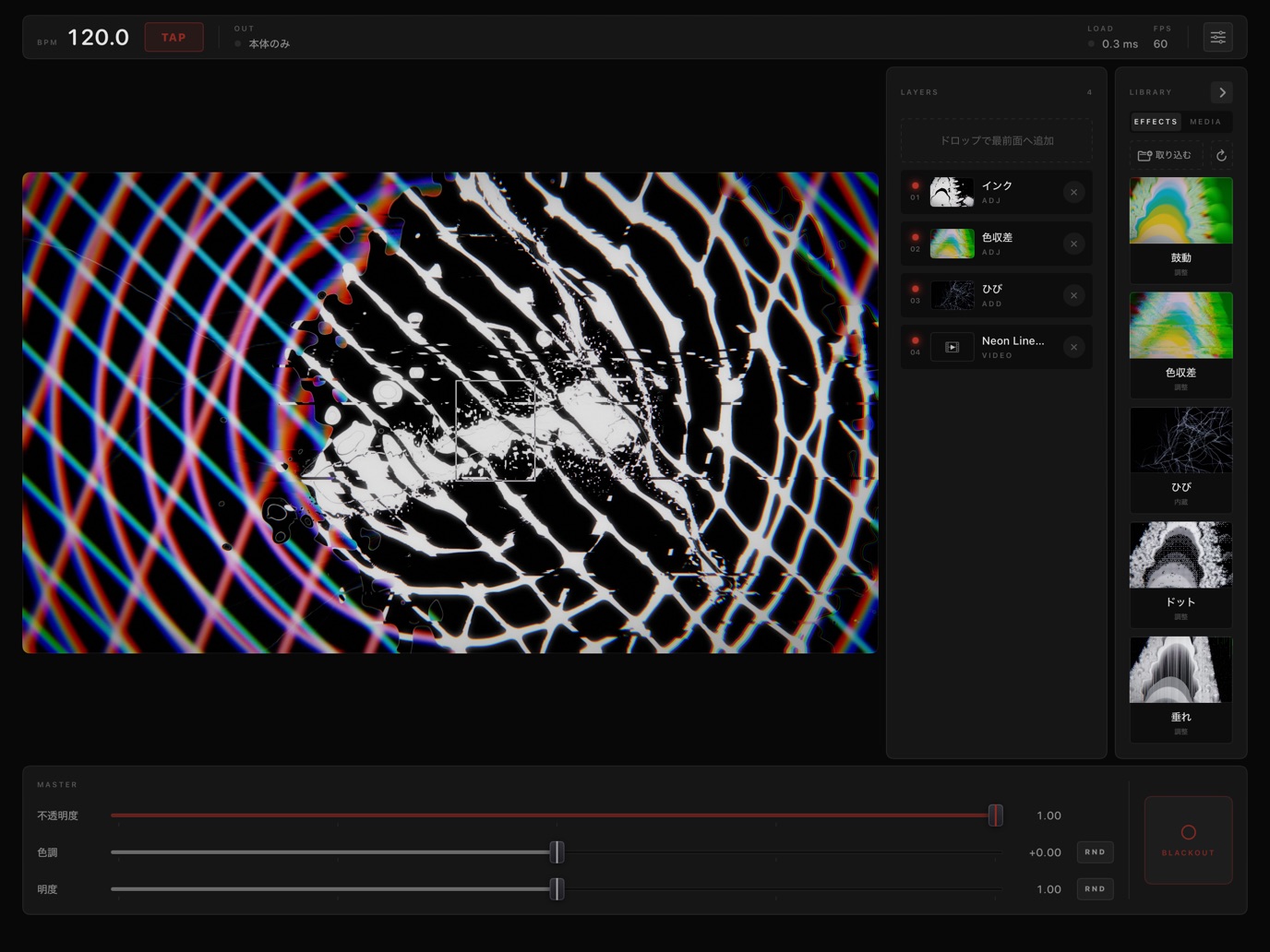
Drag an effect from the Library4 into Layers3.
Anywhere on the Canvas2. Multi-touch drives every effect at once.
Work the Layers3 while you play: reorder to recombine, tap to pause, fling out of the panel to delete.
Use Master5 opacity, hue and brightness to control everything at once. Hit Blackout5 to cut to black in an instant.
04—OUTPUT
Just connect an external display or projector over HDMI or similar. Play on the iPad in your hands while the screen shows only the visuals, full screen.
Bring it into your VJ software as an external input to layer it with other footage.
05—PRICE
FREE
Free
Play from the day you download. The output includes a watermark.
UNLOCK
¥980one-time
Pay once and the watermark is gone for good. No subscription — ready for the real stage.
DOWNLOAD
No setup.
Open your iPad and move your fingers to the sound.